
Set up dosing · Section 9
Calibrate the pumps
Measure a test dose and save the result so doses are accurate.
Calibration measures what the pump actually delivers with your tubing and chemical, so doses and usage reports are accurate.
When to calibrate
- After installing
- After replacing tubing or changing tubing type
- After switching to a noticeably thicker or thinner chemical
- When doses look off
You need
A measuring cup, graduated cylinder, or digital scale, and a primed pump. With a scale, weigh in grams: for water-thin chemicals, 1 g is about 1 mL. For thicker ones, divide grams by the specific gravity on the product’s safety data sheet.
Calibrate at the flow rate your wash triggers use. The device keeps up to eight calibrated rates for each pump and tubing type and estimates between them.
On the device
- In setup mode, tap Pump Calibration and choose the pump.
- Enter a Test Volume (up to 100 mL) and the Flow Rate you use. The run must finish within 300 seconds.
- Hold the outlet in your container and tap Start Calibration Dispense.
- Enter what came out as Measured Output (mL) and tap Save Measured Calibration.
- Run it again to check.
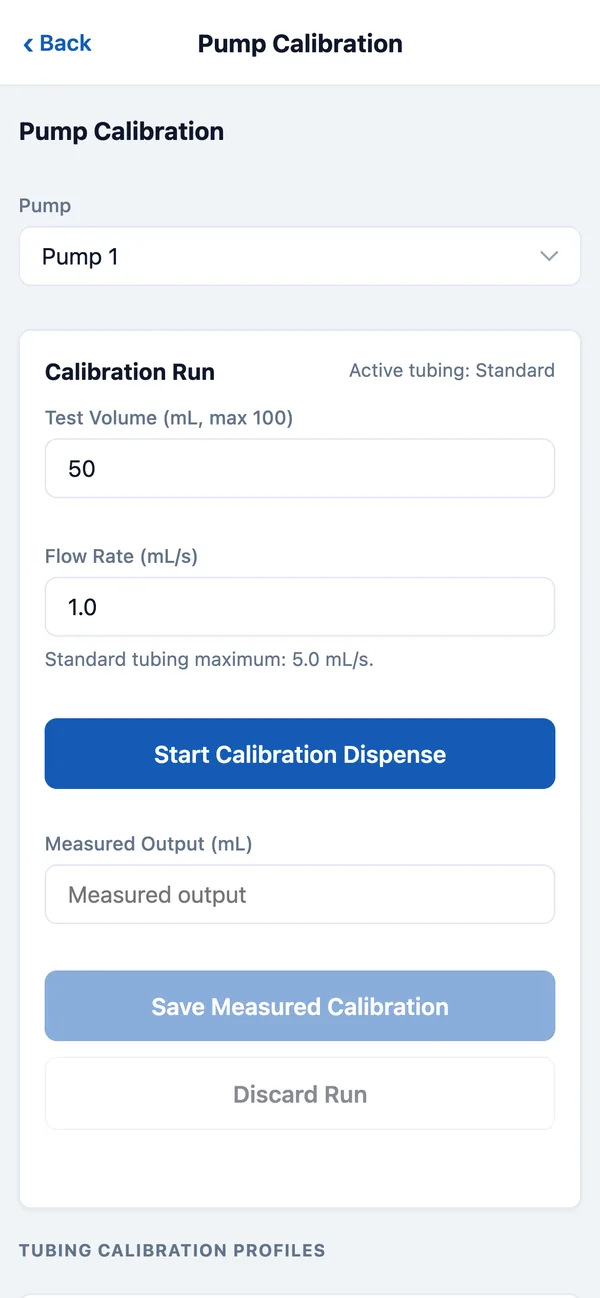
Save only a run that finished normally. If it was interrupted or spilled, tap Discard Run and start again.
On DozaLink
Someone must be at the device to measure. On the device’s page, pick the pump at the top. In the Calibration card, enter the flow rate and a run time (up to 60 seconds) and click Run test. When it finishes, enter what came out as Measured (mL) and click Save calibration.
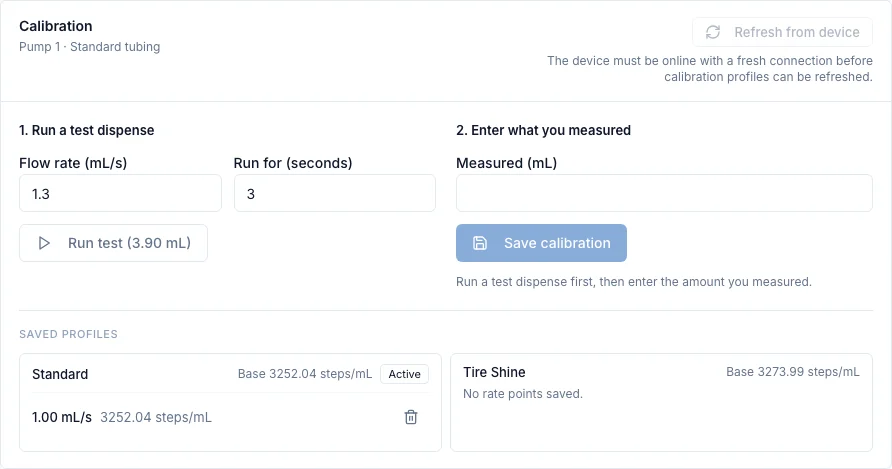
A wrong calibration point can be deleted from the saved profiles. Check the output again afterward.