
Set up dosing · Section 8
Prime and run a pump
Fill the lines and run a pump by hand from the device or DozaLink.
Run a pump by hand to prime it or test it. Point the outlet into a bucket or the wash line first.
Prime
New tubing is full of air. Prime each pump after installing, after replacing tubing, and after a container runs dry.
- In setup mode, tap Manual Dispense.
- Choose the Pump and set Mode to Run until stopped.
- Raise the flow rate to fill faster if you like (up to 5.0 mL/s for white tubing, 3.0 for black).
- Tap Start Dispensing. When chemical flows steadily with no bubbles, tap Stop Dispensing.
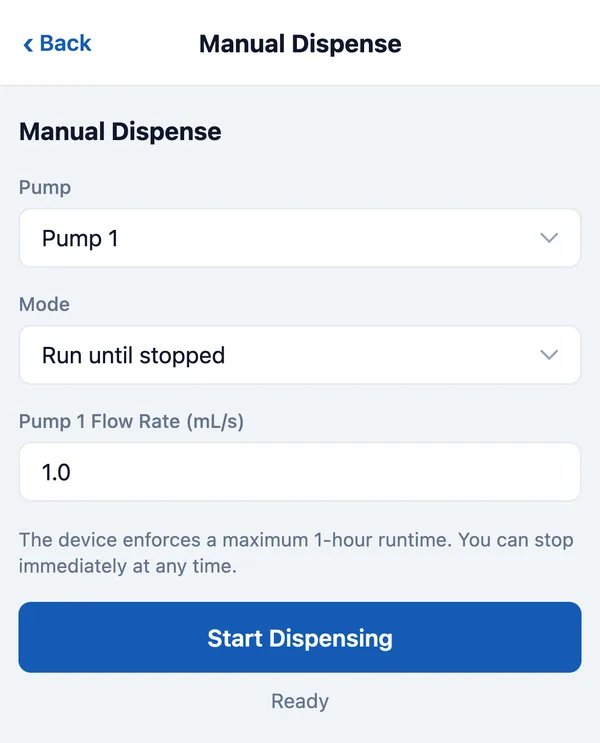
A run that isn’t stopped ends on its own after one hour.
Dispense a set amount
Set Mode to Dispense a volume and enter the volume and flow rate. Both Pumps runs both at once; the volume is for each pump.
From DozaLink
On Devices, click Dispense, choose the pump, set the speed and run time, and confirm. You can stop it early. If you aren’t sure a dose ran, check the pump or Activity before sending another.