
Manage with DozaLink · Section 12
Change doses at any site
Check device status and change doses from dozalink.com.
On dozalink.com 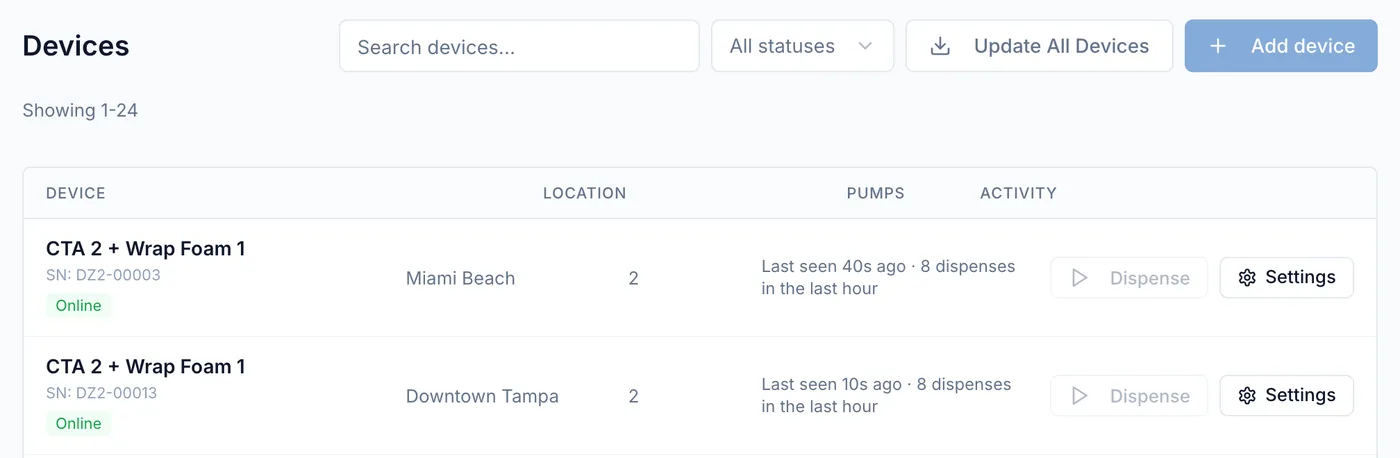
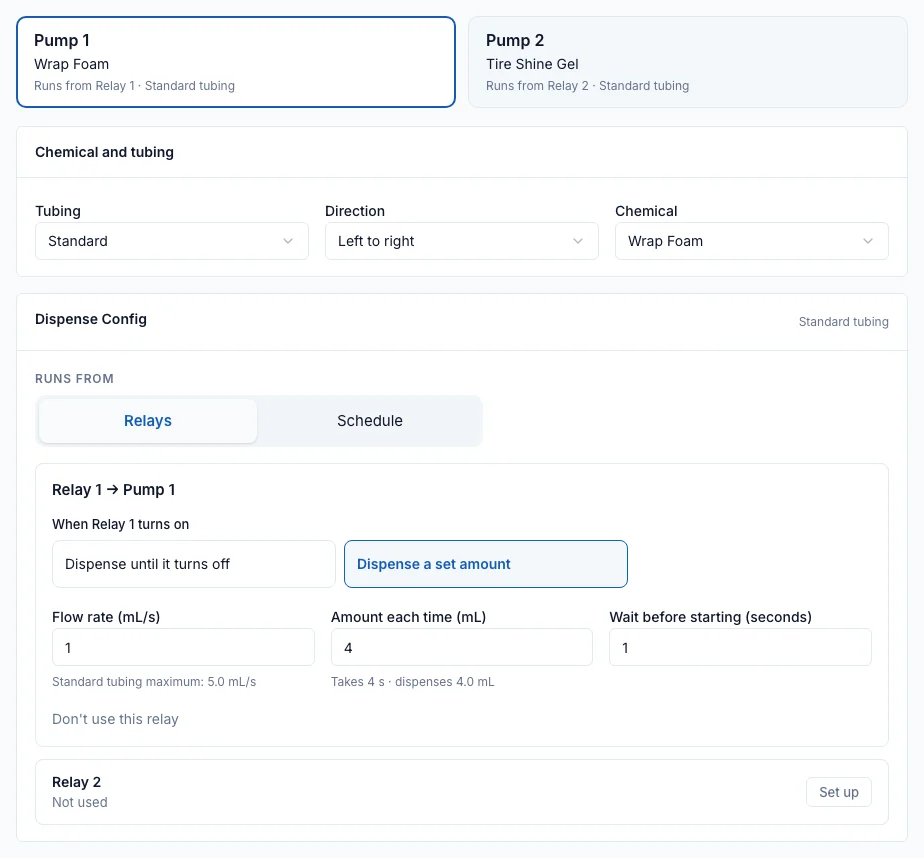
Most day-to-day work happens on dozalink.com: checking devices and changing doses at any site.
Find the device
- Choose a site in the location menu at the top, or keep All Locations.
- Open Devices and click Settings on the device.
| Online | Connected to DozaLink. |
|---|---|
| Offline | Not connected. Check power, Wi-Fi, and the site’s internet. Wash-triggered dosing continues while the device has power. |
| Update available | Newer firmware is ready. See Firmware updates. |
Change the dose
- Pick the pump at the top. Under Dispense Config, with Runs from set to Relays, find the relay (Relay 1 or Relay 2) that runs it.
- Change Flow rate (mL/s), Amount each time (mL), or both. The card shows how long the pump runs and what it dispenses, for example Takes 4 s · dispenses 4.0 mL.
- Click Save to device.
"Device applied the configuration changes."
The device must be online to accept a change. If it’s offline or busy, DozaLink says so and nothing is saved. Settings are changed one device at a time. The Audit Log records who changed what.
Other common tasks
- Run a pump now: Dispense on the Devices list. See Prime and run a pump.
- Change a pump’s chemical: Chemical under Pump Configuration.
- Dose at set times instead of from a signal: Schedule under Dispense Config. See Dose on a schedule.
- Rename or move a device: Device Name and Location in the Configuration card.
- Check tubing wear: Tubing life on the device’s page.